Exporting Results
The Export tab allows you to export your current selection of CSMs and/or XLs
and/or aggregated XLs to one of the supported down-stream analysis tools or export
formats.
Please note that all exporters check if the required information to create a successful export is available at runtime! If key information is missing, an error will be raised!
Exporting Your Results
Select the Down-Stream Analysis Tool/Export Format
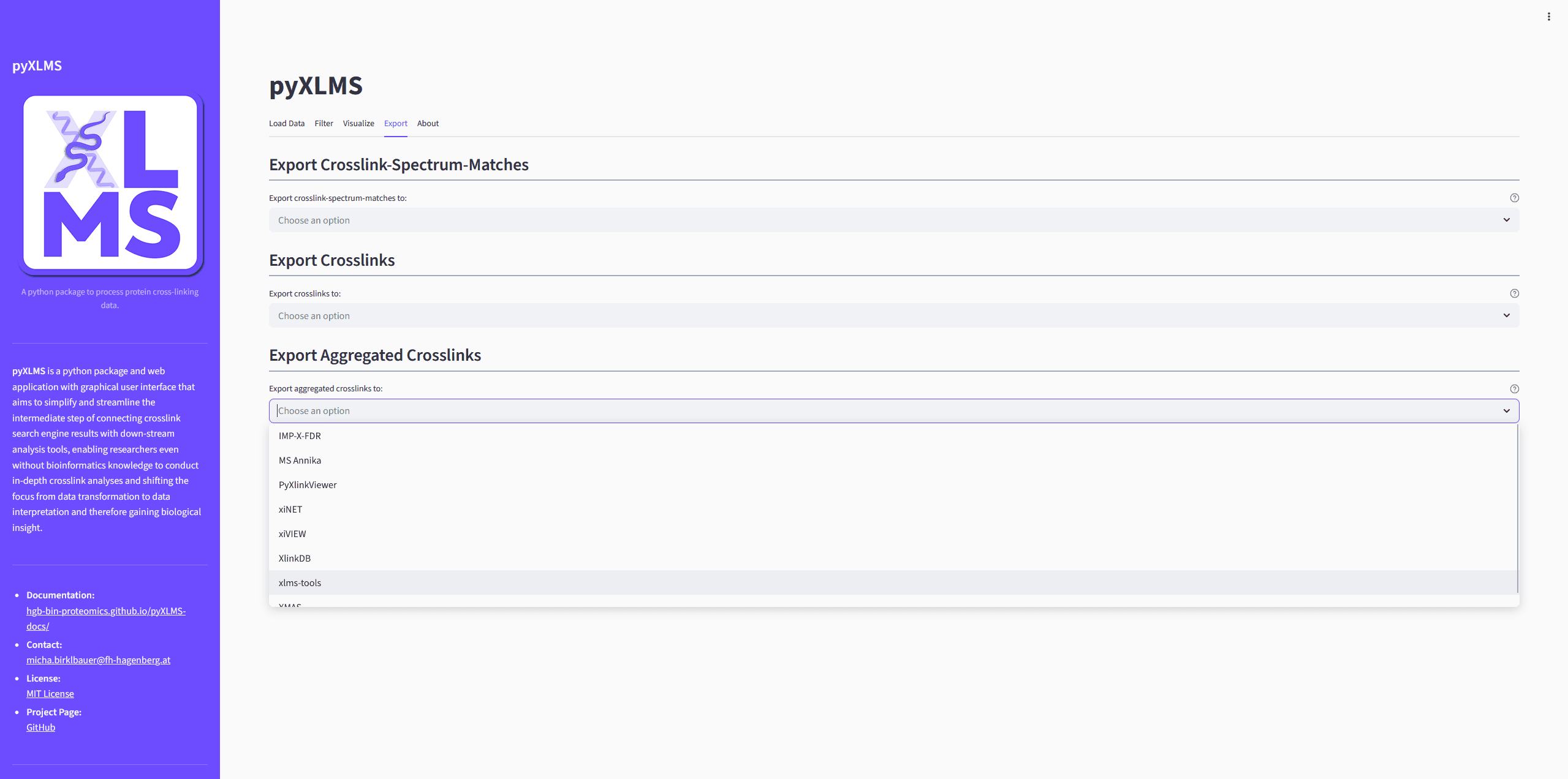
Select the down-stream analysis tool or export format that you want to get.
Verify Your Pre-Processing and Filtering
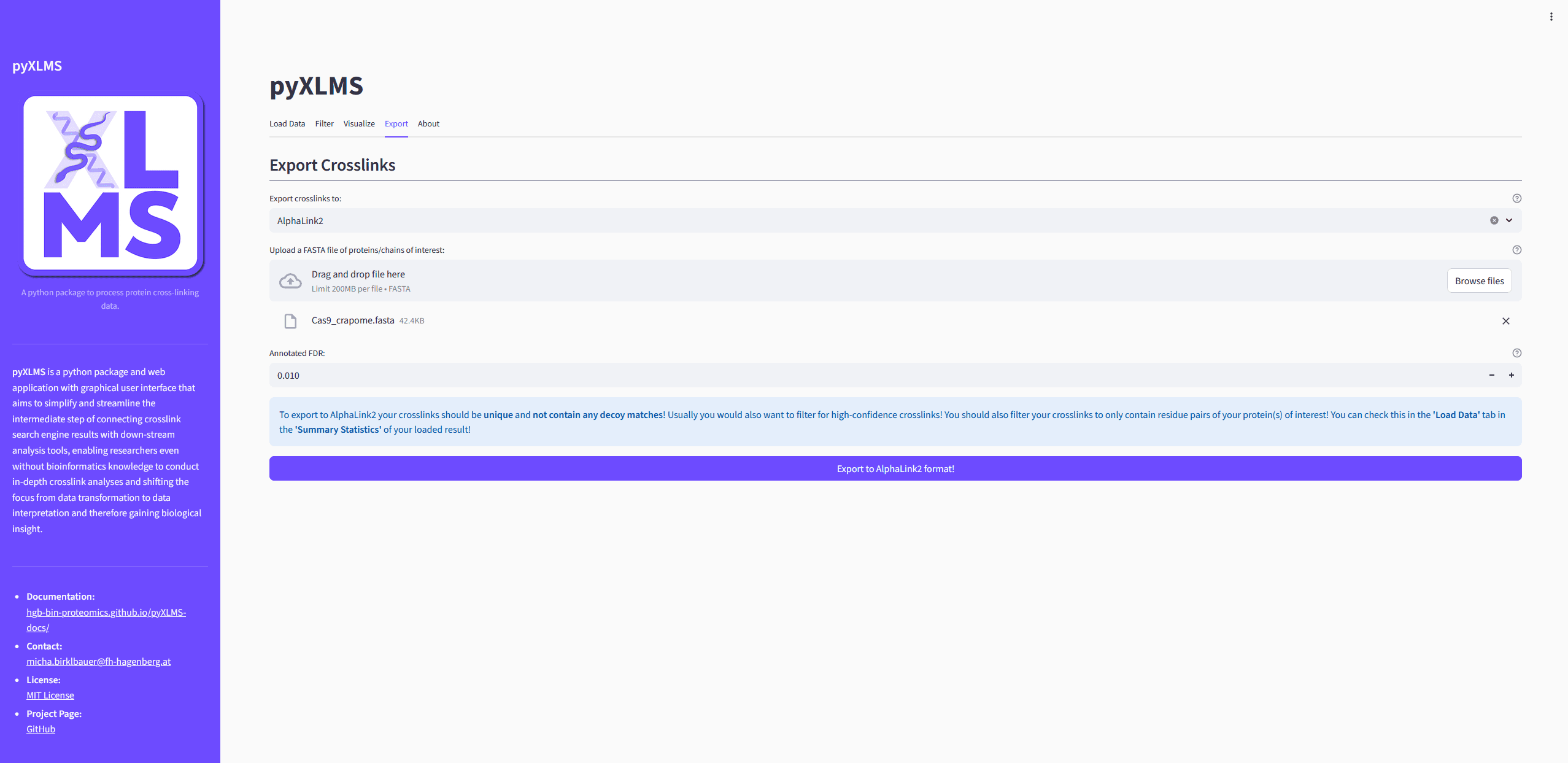
After selecting an export option a blue callout will appear with recommendations on how your results should be pre-processed and filtered for the export to work correctly. This is not only important for the export but subsequent down-stream analysis, e.g. down-stream analysis tools might not work correctly if your data is not sufficiently pre-processed and filtered, even if the export worked flawlessly.
Please note that the exporters do not check which pre-processing steps have been carried out beforehand! Some down-stream analysis tools might require validated results, some might require raw results, some might require target matches only, some might require target and decoy matches, etc. Which filtering steps are applied before export are up to you - the user - and your own responsibility. Please read the instructions of the down-stream analysis tool you want to use and get familiar with it and the required data before exporting! The exporter tutorial pages also give a short overview of recommended pre-processing steps!
Supply Any Additionally Required Data
Some exporters need additional data to work, for example a FASTA file or other not yet know meta information. Please fill in this information.
Create the Export
Click the Export to * button to run the exporter.
Download the Exported File(s)
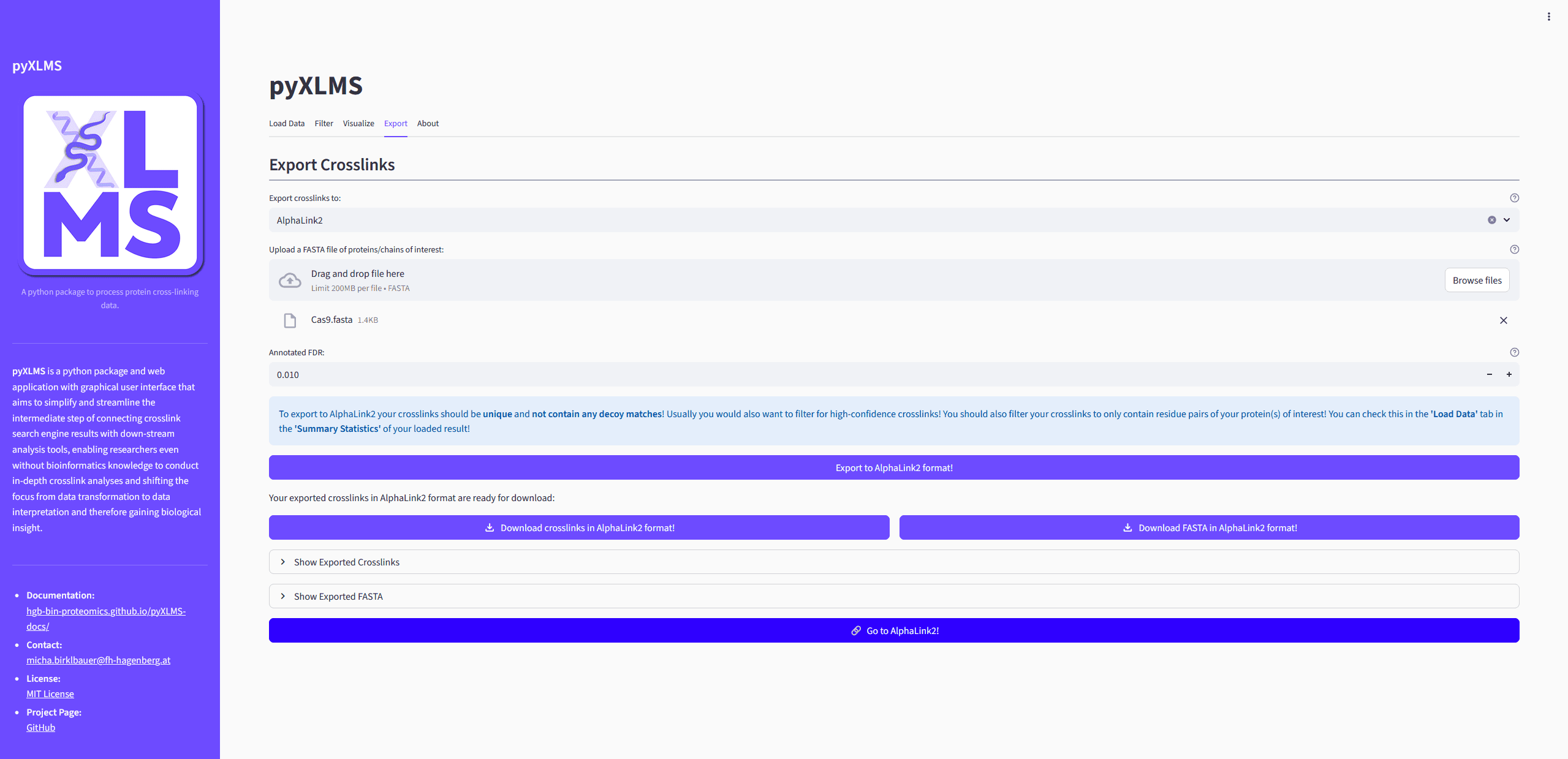
If the export finished successfully you will get the option to download the exported file(s). Sometimes also some additional information about the export is displayed.
Use Your Exported File(s) with the Selected Down-Stream Analysis Tool
For convenience the web app will also display a button that takes you directly to the selected down-stream analysis tool!